> For the complete documentation index, see [llms.txt](https://docs.struct.com/llms.txt). Markdown versions of documentation pages are available by appending `.md` to page URLs; this page is available as [Markdown](https://docs.struct.com/changelog/december-2025.md).
# December 2025
This month's update delivers improved control over attribute fallback, enhanced browse endpoints, business rule conditions and nested global list folders.
As the year concludes, we remain focused on improving both usability and functionality across Struct PIM. December introduces improvements that provide better control over data visibility, stronger rule configuration, and improved organization of complex configurations.
### Global control of fallback visibility on entity attributes
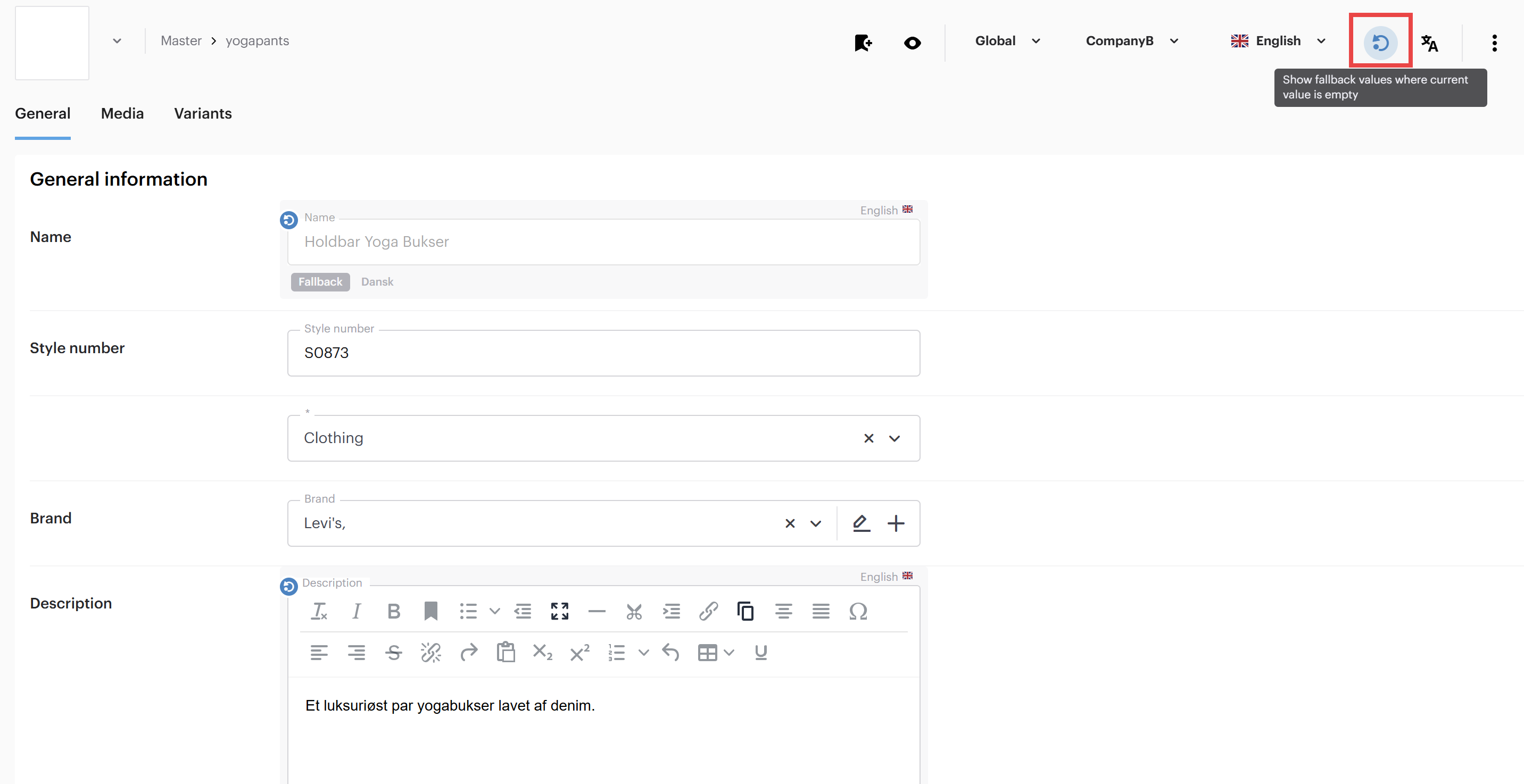
It is now possible to control fallback visibility on entity attributes globally.\
A new toggle button has been added to the top-right corner when viewing an entity, allowing you to quickly enable or disable fallback visibility across attributes globally.
### Support for rendered values from browse endpoints
Browse endpoints now support rendered values, which will provide rendered, human-readable data. This improves data accessibility and comprehension, saving users both time and effort in making sense of complex information structures. You can learn more about [how to use the endpoint here](/tutorials/guides/how-to-use-struct-pims-api/use-of-browse-endpoints.md).
### New and improved conditions added to business rules
{% columns %}
{% column %}
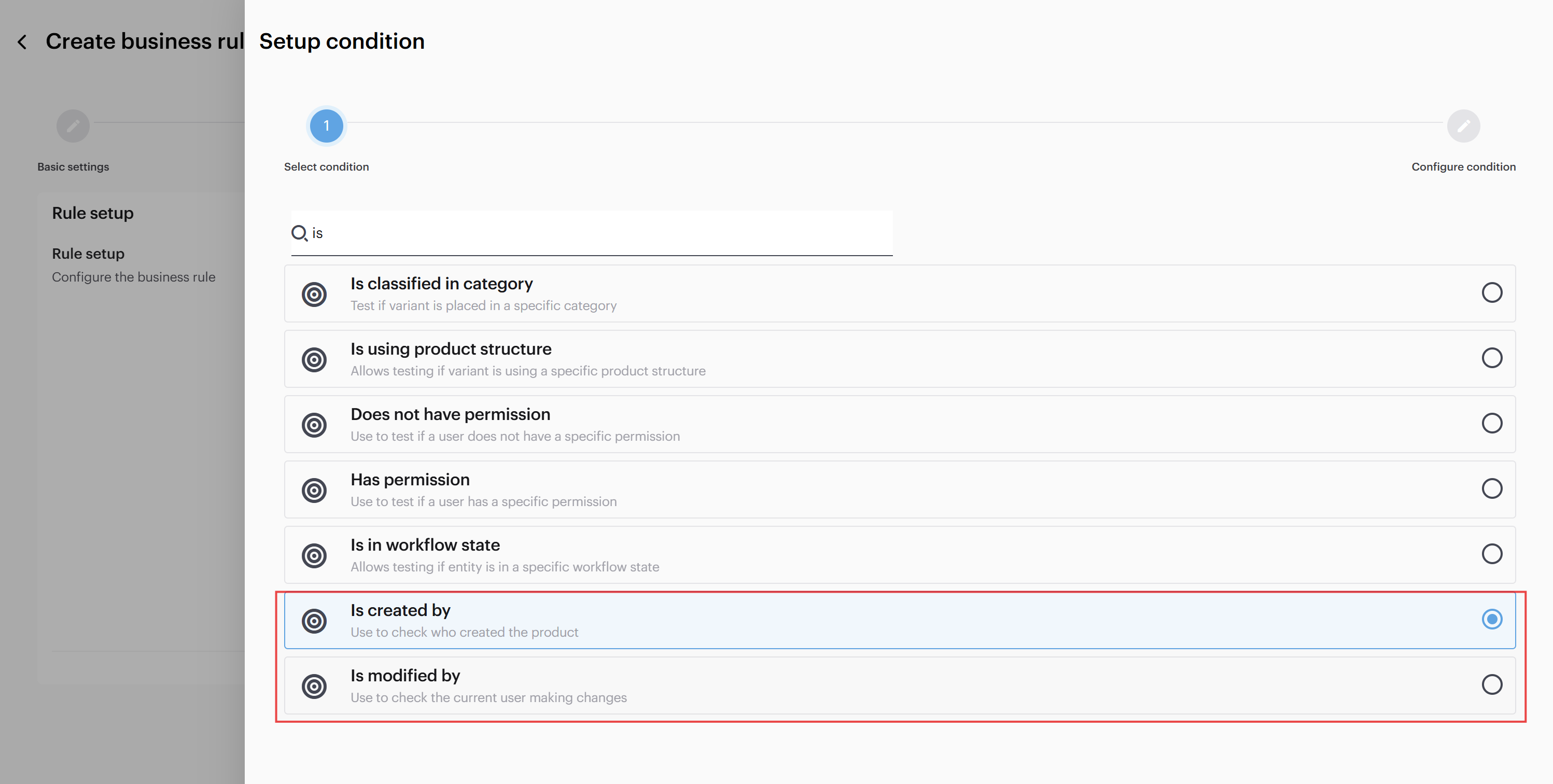
#### Modified by and created by conditions
When setting up a business rule, you can now use 'modified by' and 'created by' in conditions for business rules. This enables the creation of workflows and validations that react to user action, increasing control and automation.
{% endcolumn %}
{% column %}
{% endcolumn %}
{% endcolumns %}
{% columns %}
{% column %}
{% endcolumn %}
{% column %}
#### Multiselect support for category condition
When setting up a condition to check if an entity is classified in a category, it is now possible to select multiple categories. This enhancement offers more flexibility and rule configuration, while minimizing the need for duplicate setups.
{% endcolumn %}
{% endcolumns %}
### Nested folders for global lists
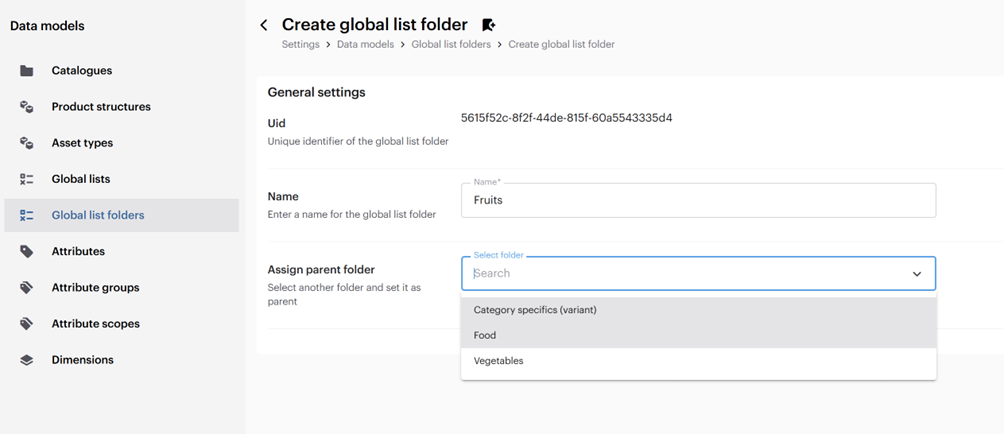
it is now possible to create nested folders for global lists. When editing or created a new global list folder a 'parent folder' can be assigned.
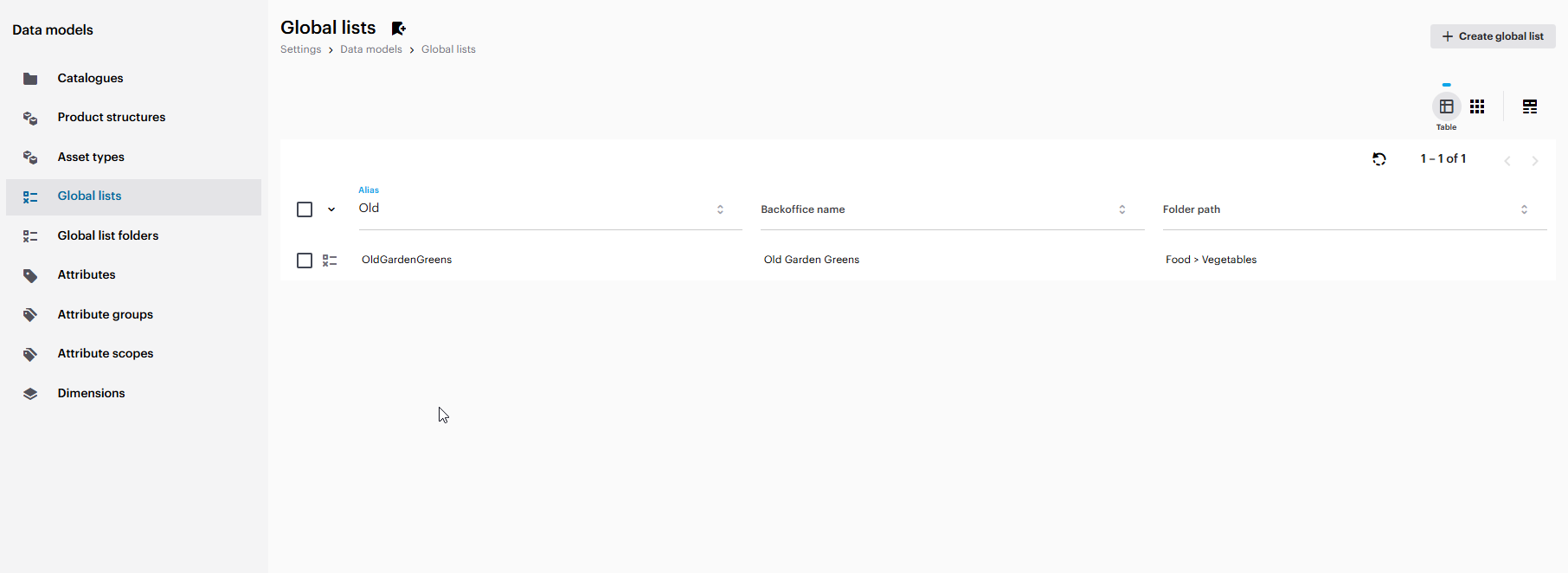
With this, a new column, 'Full path', has been added to display the folder hierarchy for each folder in the global list folders page. A 'Folder path' column is also available in the global lists page, providing a clear view of folder structure for each list.
You can also view the nested global list folder structure in the Global lists tree overview.
This enhances the user experience by making it easier to organize large collections of global lists.
### Releases in December
* [December 19th](/changelog/december-2025/december-19th.md)
* [December 12th](/changelog/december-2025/december-12th.md)
* [December 5th](/changelog/december-2025/december-5th.md)
* [December 4th](/changelog/december-2025/december-4th.md)
{% hint style="info" %}
**Fun Fact: Penguins Propose With Pebbles (And Standards Matter)**\
Male penguins don’t just show up empty-handed. During courtship, they carefully search for the *perfect pebble*—smooth, solid, and just the right size—to present to their chosen partner. That pebble becomes part of the nest, and if it’s flimsy, awkward, or simply not up to standard, the proposal may be politely… ignored.
Some penguins even “shop around,” swapping pebbles or upgrading their choice, because they know one weak building block can compromise the whole nest.
Penguins know what product managers know: **quality and consistency matter**.
🐧💍\
*Battle lesson from penguins: get the details right from the start, and everything that follows stands stronger. By standardizing product data and keeping every detail clean, complete, and in the right place, Struct PIM ensures customers see information they can trust—without confusion, friction, or last-minute fixes.*
{% endhint %}
---
# Agent Instructions
This documentation is published with GitBook. GitBook is the documentation platform designed so that both humans and AI agents can read, navigate, and reason over technical content effectively. Learn more at gitbook.com.
## Querying This Documentation
If you need additional information that is not directly available in this page, you can query the documentation by asking a question.
Perform an HTTP GET request on the following URL with the `ask` and `goal` query parameters:
```
GET https://docs.struct.com/changelog/december-2025.md?ask=&goal=
```
`ask` is the immediate question: it should be specific, self-contained, and written in natural language.
`goal` is what the user is ultimately trying to achieve, the reason they need the answer. Sharing it helps GitBook give you a better, more relevant answer. A goal is most helpful when it describes the outcome the user wants rather than restating the question. For example, with `ask=how do I create an API token`, a goal like `automate deployments from our CI pipeline` lets GitBook tailor the answer to that use case.
The response will contain a direct answer to the question and relevant excerpts and sources from the documentation.
Use this mechanism when the answer is not explicitly present in the current page, you need clarification or additional context, or you want to retrieve related documentation sections.